KDP Book Mockup Canva Frames: A Practical Asset for Authors and Publishers
Getting a book ready for publication is one challenge; making it look appealing to potential readers is another entirely. For self-publishing authors and small publishers, the gap between a finished manuscript and a compelling marketing campaign can feel vast. This is where a practical tool like KDP Book Mockup Canva Frames becomes invaluable. It’s not a complex software suite, but a straightforward, designer-grade asset built within Canva, designed to solve a specific, real-world problem: creating professional book advertisements quickly and affordably.
Understanding the Visual Utility of KDP Book Mockup Canva Frames
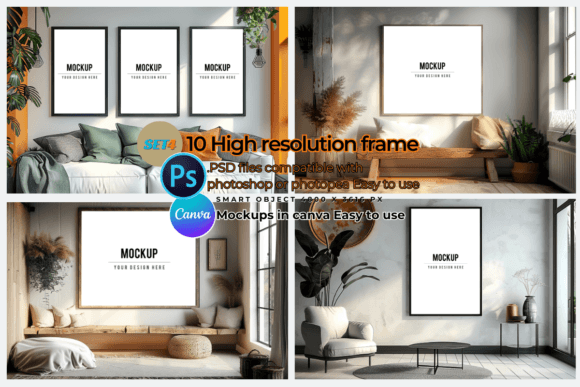
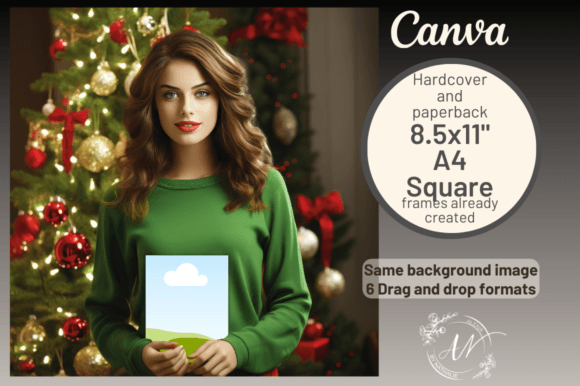
At its core, this resource is a collection of pre-designed Canva templates that simulate a physical book in a realistic setting. The key visual characteristic is its emphasis on authenticity. Instead of a flat, digital rendering, you're working with high-resolution photographic elements—like a pair of hands holding a book. These elements are imported as separate, movable layers within the Canva template. This means you aren't just slapping a cover onto a static image; you can adjust the positioning, scale, and angle of your book cover to match the perspective of the hands and background, creating a cohesive, believable scene.
The personality of these frames is versatile and professional. They don't impose a strong stylistic bias, which is a significant strength. Whether you're marketing a whimsical children's activity book, a sleek business journal, or a gritty thriller novel, the frame acts as a neutral, high-quality stage. The appeal lies in this combination of photorealism and flexible, user-friendly design. It provides the polish of a professional photoshoot without the associated cost, time, or logistical hassle.
Where This Design Asset Makes the Biggest Impact
The primary application for KDP Book Mockup Canva Frames is, of course, in publishing and marketing. Its most direct use is for creating Amazon A+ Content, the enhanced brand content that appears on a book's product page. A compelling visual here can significantly improve conversion rates. However, its utility extends far beyond a single platform. The templates are optimized for various social media dimensions, making them ideal for:
- Social Media Graphics: Creating scroll-stopping posts for Instagram, Facebook, and Pinterest. A realistic mockup is far more engaging than a simple book cover image.
- Marketing Materials: Designing promotional graphics for newsletters, blog posts, or author websites.
- Digital Advertising: Crafting ad visuals for campaigns on social media or display networks.
From a brand identity perspective, using consistent, professional mockups helps establish an author or publisher as serious and credible. It contributes to a polished visual brand that readers and partners will recognize. For content creators and bloggers in the book niche, these frames are perfect for creating review graphics or "bookstagram" style content without needing a physical copy of every book. The asset essentially bridges the gap between digital product and tangible object, which is crucial for marketing a physical item like a paperback or hardcover.
Leveraging the Asset for Professional Results
Getting the most out of KDP Book Mockup Canva Frames involves a few practical steps. First, understand the templates you receive. You're getting seven layouts, including premade designs for standard sizes like A4, square, and 8.5x11" formats. There's also a size-independent template for custom dimensions. This variety ensures you're not locked into one rigid format and can adapt to different project needs.
When using the frames, pay attention to the details that sell the realism. The separate image of the hands is your most powerful tool. After dragging and dropping your book cover into the designated frame, take a moment to adjust its placement. Does the lighting on your cover align with the light source in the background image? Do the hands look naturally positioned? Small tweaks here make a big difference. Think of it as editorial design for your marketing—a focus on composition and visual storytelling.
Consider the context of your book. A mockup for a children's activity book might work best on a bright, clean background, while a memoir might benefit from a more textured, ambient setting. The templates provide the foundation, but your creative direction provides the impact. This tool is about enhancing your design assets, not replacing your creative judgment. By integrating these frames into your workflow, you streamline the production of social media graphics and promotional material, ensuring every piece of marketing collateral looks intentional and professional. It’s a practical solution that respects the author's time while elevating the perceived value of their work.